

Verify a test address
How to do it in Address Verification, one step at a time.
Last updated 11 Oct 2026
Check the whole setup with one address on a test Account.
Open a test Account with a US billing address.
In a sandbox with no accounts, open the Accounts tab and click New. Type an Account Name, for example
Test Address. Type a real business address in Billing Address, for example the Salesforce Tower:Field Value Billing Street 415 Mission StBilling City San FranciscoBilling State/Province CABilling Zip/Postal Code 94105Billing Country USAClick Save.
Click Verify Addresses.
It sits with the buttons at the top right of the record, or in the menu under the arrow at the end of the buttons. Address Verification sends each address on the record to Smarty. For the Salesforce Tower, a message reads Record Updated, Addresses Partially Verified.
Reload the page. Check the result.
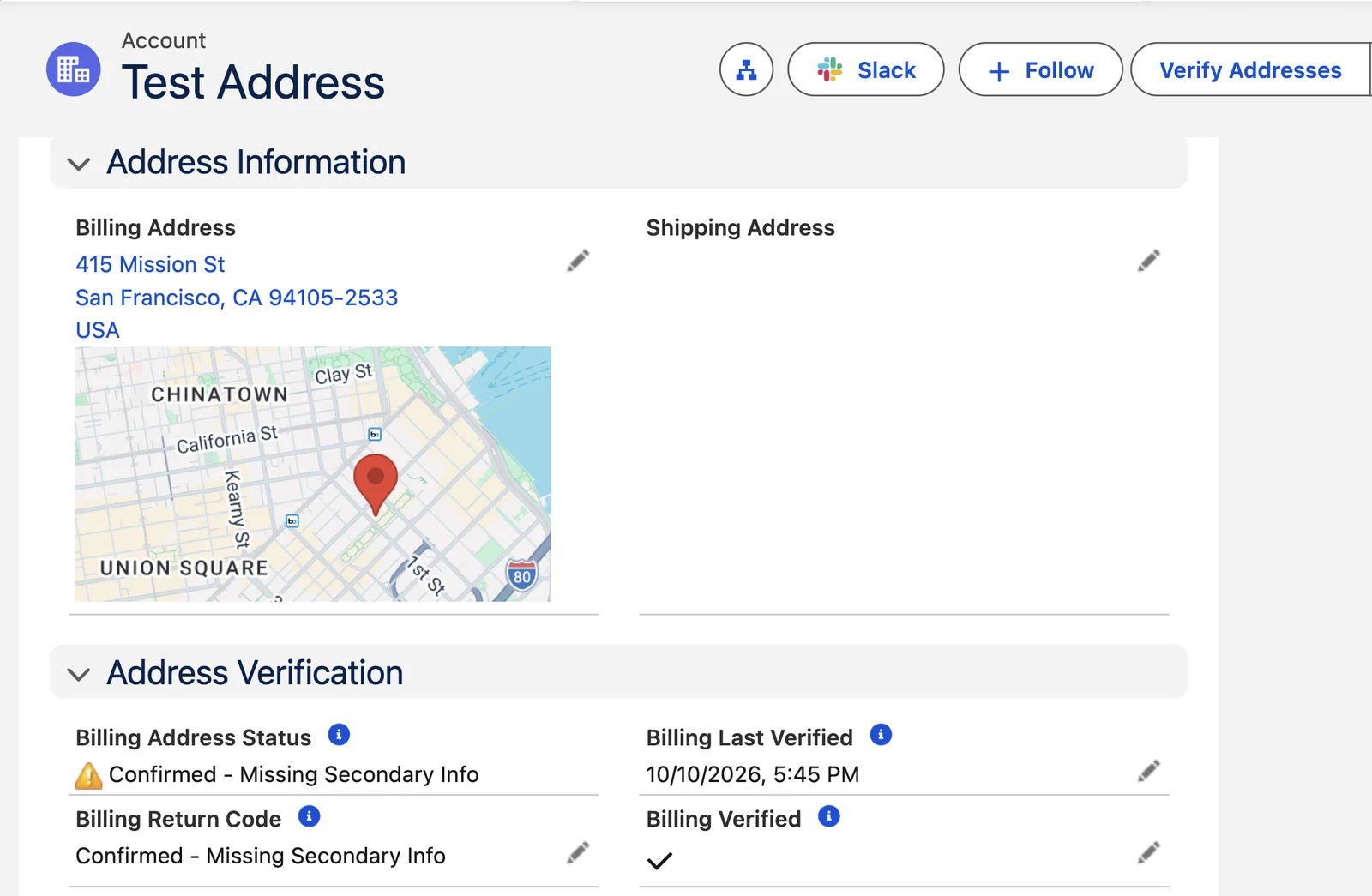
The address shows the form that Smarty returned. For the Salesforce Tower, the ZIP Code becomes
94105-2533.If you added the Address Verification fields to the layout, they show the result. The Salesforce Tower has many suites, so the status reads Confirmed - Missing Secondary Info. The address is valid, and Billing Verified is ticked. See Read the results.
Optional: try an address that does not exist.
Click the pencil beside the address. Change the street to one that does not exist, for example
99999 Nowhere St. Click Save. The Return Code reads Changed, and the status reads Not Yet Verified.Click Verify Addresses again. The Return Code reads Bad or Blank Address. This check uses one more lookup.
Verify skips a verified address
Address Verification checks only an address whose Verified box is not ticked, so it does not use a lookup twice. A change to the address unticks the box. The Return Code then reads Changed until the next check.
Applies to
Address Verification 7.3.x. These steps come from the tested Address Verification implementation guide, where they sit with the steps before and after them.
Was this helpful?
Thank you. It helps us know which articles work.
Related
Still stuck?
Open a case and paste the exact error text. A person reads every case.